
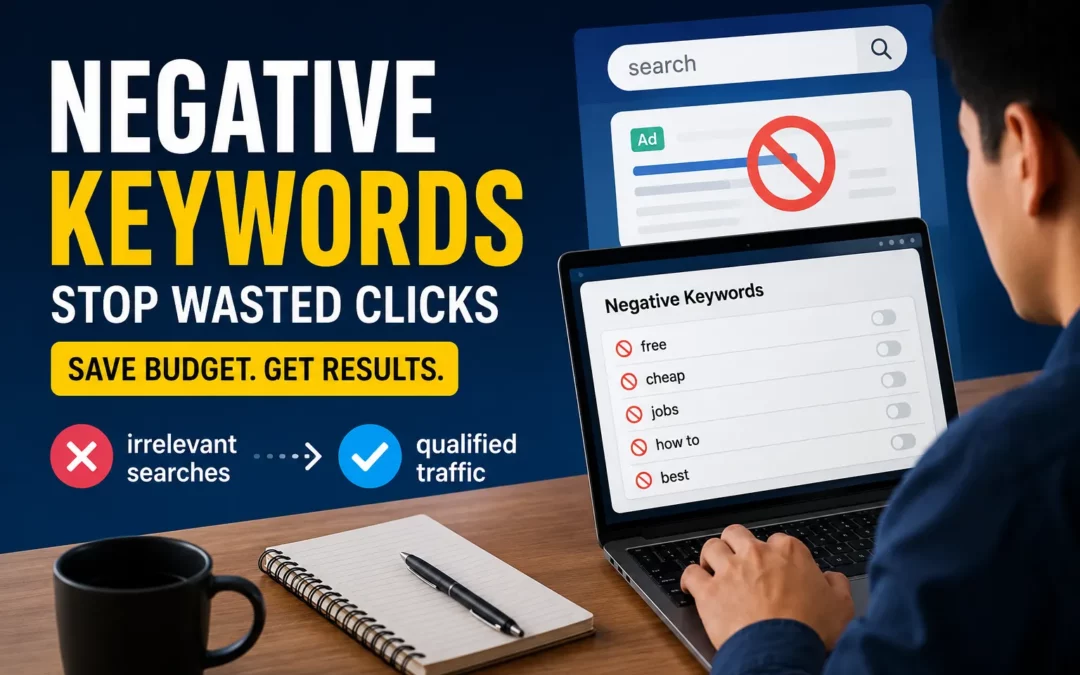
A negative keyword is a word or phrase you add to a Google Ads campaign to prevent your ads from appearing when that term is part of a user’s search query. While your regular keywords tell Google which searches should trigger your ads, negative keywords tell Google which searches should never trigger them — no matter how closely they might otherwise match.
Negative keywords are not optional. They are as fundamental to a profitable SEM campaign as the keywords you are bidding on. Without a solid negative keyword list, even the most carefully chosen positive keywords will generate a meaningful percentage of irrelevant, unconvertible clicks wasting budget, lowering CTR, and damaging the Quality Score that determines what you pay per click. Building your first negative keyword list and not sure where to start? Our SEM community shares proven exclusion lists across industries join the conversation here.
What Is a Negative Keyword?
A negative keyword is an exclusion instruction. When you add a word or phrase as a negative keyword, Google will not show your ad to any user whose search query contains that term regardless of which positive keywords you are bidding on or how high your bid is.
For example: if you sell premium project management software at $200 per month and you add “free” as a negative keyword, your ads will no longer appear when users search “free project management software.” Those users are explicitly looking for something you do not offer. Every click from them is guaranteed to not convert and costs money.
Negative keywords protect your budget by ensuring it is spent exclusively on searchers with relevant intent. They also protect your Quality Score by keeping your Click-Through Rate high because when your ads stop appearing for irrelevant searches, the proportion of people who actually click after seeing your ad increases, which Google reads as a positive relevance signal.
Why Negative Keywords Are Non-Negotiable in SEM
The core problem that negative keywords solve is a structural feature of how keyword match types work. Even phrase match and exact match the more controlled options can trigger searches that are technically related to your keyword but completely misaligned with your offer.
Consider an advertiser selling high-end running shoes at $180+ per pair. They bid on “running shoes” in phrase match. Without negative keywords, their ads may appear for:
- “cheapest running shoes” (price-sensitive, unlikely to convert at $180)
- “how to clean running shoes” (no purchase intent)
- “running shoes for kids” (wrong demographic)
- “running shoes repair near me” (different service entirely)
- “used running shoes” (looking for secondhand, not new)
Each of these clicks costs money. None of them are likely to result in a purchase. Over a month, these wasted clicks can represent 20–40% of total spend on a poorly managed campaign — a significant financial leak with a straightforward fix.
Understanding how match types control which searches trigger your ads in the first place provides essential context for negative keywords — because the two systems work together as the primary architecture of SEM targeting. Match types set the outer boundaries; negative keywords define the exceptions within those boundaries.
The Three Negative Match Types
Just like positive keywords, negative keywords have their own match type settings that control exactly how they exclude searches.
Negative Broad Match (Default)
When you add a negative keyword without any formatting, it becomes a negative broad match. This is the most expansive exclusion — it blocks any search containing that word in any order, regardless of other words in the query.
Example negative keyword: free
Blocks:
- “free project management software”
- “project management software free trial”
- “best free task management tools”
- “free alternatives to Asana”
Does not block:
- “premium project management software” (does not contain “free”)
- “project management software pricing” (no negative term present)
Best for: Terms that should never appear in any context relevant to your business — like “free,” “DIY,” “how to,” or job-related terms.
Negative Phrase Match
A negative phrase match blocks searches that contain the exact phrase in the same word order. Other words can appear before or after the phrase without triggering the exclusion.
Example negative keyword: -"how to use"
Blocks:
- “how to use project management software”
- “guide on how to use task tools”
- “how to use Asana for free”
Does not block:
- “use how project management” (different order)
- “software usage guide” (different phrasing)
Best for: Multi-word phrases that are irrelevant in their entirety but where individual words within the phrase might be acceptable in other combinations.
Negative Exact Match
A negative exact match blocks only searches that exactly match your negative keyword — with close variants. Other words before or after the phrase will not trigger the exclusion.
Example negative keyword: -[project management certification]
Blocks:
- “project management certification”
- “project management certifications” (close variant)
Does not block:
- “project management certification courses” (additional words)
- “best project management certification programs” (has additional words)
Best for: Very specific terms you want to exclude precisely for example, a competitor brand name you want to exclude only as a standalone search but may still want to appear in comparative searches like “[competitor] vs [your brand].”
How to Build Your Negative Keyword List
Building an effective negative keyword list is a continuous process, but here is the systematic approach to getting started before launching any campaign:
Phase 1: Pre-Launch Brainstorming
Before spending a dollar, generate negative keywords by thinking through every way your positive keywords could attract the wrong audience.
Brainstorm these categories:
Informational and research intent:
- how, what is, what are, why, when, where, guide, tutorial, explained, meaning, definition, overview, introduction, basics, learn, course, training, certification
Price sensitivity signals (if you are premium priced):
- free, cheap, cheapest, affordable, low cost, budget, inexpensive, discount, coupon, promo code, deal, sale, diy, homemade, self-made
Wrong lifecycle stage:
- used, second hand, secondhand, vintage, refurbished, pre-owned, broken, repair, fix
Job-seeker terms:
- jobs, job, careers, career, salary, hiring, vacancy, internship, work, employment, resume
Competitor brand names (if not running conquest campaigns)
Irrelevant use cases: Any industry-adjacent terms your positive keywords might accidentally match. If you sell B2B software, “for kids,” “for school,” “student” may be relevant negatives.
Phase 2: Post-Launch Mining the Search Terms Report
The Search Terms report in Google Ads is the most valuable ongoing source of negative keyword opportunities. It shows every actual query that triggered an impression or click.
How to access it: Google Ads → Keywords → Search Terms (in left navigation)
What to look for:
- Queries with zero conversions after 20+ clicks (often indicates intent mismatch)
- Queries with words suggesting wrong intent, wrong audience, or wrong price sensitivity
- Competitor brand names appearing in searches (decide whether to exclude or bid on)
- Informational queries generating clicks but no conversions
Process: Review the Search Terms report weekly. For every irrelevant query, identify the specific word causing the problem and add it as a negative keyword at the appropriate match type.
Where to Add Negative Keywords: Campaign vs. Ad Group Level
Google Ads allows you to add negative keywords at two levels, and the right choice depends on scope:
Campaign-level negative keywords apply across every ad group within that campaign. Use this for universal exclusions that are irrelevant to every keyword in the entire campaign — for example, “jobs,” “certification,” or “free” if you are a premium-only business.
Ad group-level negative keywords apply only to a specific ad group within the campaign. Use this when an exclusion is relevant for one ad group but would incorrectly exclude valuable searches in another. For example, if one ad group targets “enterprise software” and another targets “small business software,” the word “enterprise” as a negative at the ad group level prevents your small business ad from showing to enterprise searchers — while the enterprise ad group continues to run normally.
Negative keyword lists (a feature in Google Ads) allow you to create reusable lists that can be applied to multiple campaigns simultaneously. This is particularly useful for universal exclusions shared across all campaigns in an account job terms, competitor brands, informational terms.
Negative Keywords and Their Impact on Quality Score
The relationship between negative keywords and Quality Score is direct and important. Quality Score is composed of Expected CTR, Ad Relevance, and Landing Page Experience and negative keywords improve all three.
Expected CTR improves because your ads stop appearing for searches where no one clicks them (irrelevant queries). The proportion of views that result in clicks increases.
Ad Relevance improves because the searches reaching your ad are more aligned with your ad copy. When irrelevant queries are excluded, the remaining triggered searches more consistently match what your ad says.
Landing Page Experience is protected because irrelevant visitors who would immediately bounce stop reaching your landing page. Bounce rate drops and average session depth improves both signals Google evaluates in landing page quality.
The downstream effect on campaign economics is significant: higher Quality Score → better Ad Rank → lower actual CPC → more clicks per dollar of budget. Negative keywords create a positive cascade through every metric in your campaign.
Common Negative Keyword Mistakes
Adding negative keywords too broadly. Adding a common word like “best” as a negative broad match could accidentally exclude high-intent searches like “best project management software” which often signals strong purchase intent. Be precise about what you are excluding and why.
Never reviewing the Search Terms report. Negative keywords are not a one-time setup. New irrelevant queries appear constantly as user language evolves and campaign settings shift. Weekly Search Terms review is standard practice for well-managed campaigns.
Adding negative keywords at the wrong level. Applying a campaign-level negative that should only be at the ad group level can block valuable traffic in other ad groups. Always consider scope before choosing where to apply an exclusion.
Ignoring close variants. Negative exact match does not exclude close variants in the same way positive exact match includes them. Google has specific rules about which variants negative keywords cover. Test critical negatives by checking what searches are still slipping through.
Not using negative keyword lists across campaigns. If you manage multiple campaigns targeting similar audiences, a shared negative keyword list applied at the account level saves time and ensures consistent exclusions. Rebuilding the same list from scratch for each campaign is inefficient and leaves gaps.
Negative Keywords in the Context of a Full SEM Strategy
Negative keywords work as part of a larger system. Understanding how search intent drives the full SEM process from keyword selection through ad copy to landing page experience positions negative keywords correctly: not as a cleanup tool for bad keyword choices, but as precision targeting that ensures budget flows only to searches that match your offer.
The best SEM campaigns treat negative keywords with the same strategic attention as positive keywords. A campaign with 50 precisely chosen positive keywords and a robust 200-term negative keyword list will dramatically outperform a campaign with 200 broad keywords and no negatives because targeting precision compounds through every metric.
Additionally, how the ad auction rewards relevance through Ad Rank means negative keywords are indirectly an Ad Rank strategy. Every irrelevant search you exclude prevents a low-CTR impression that would damage your Quality Score protecting the Ad Rank that determines your position and cost in every future auction.
FAQs
How many negative keywords should I have?
There is no ideal number. New campaigns typically start with 30–60 pre-launch negatives covering universal irrelevant categories. Well-managed mature campaigns often accumulate 200–500+ negative keywords built from ongoing Search Terms mining. The right number is whatever is necessary to keep your traffic highly relevant.
Can negative keywords accidentally block valuable searches?
Yes, which is why match type selection for negatives matters. Negative broad match on a common word can accidentally exclude relevant searches. Always preview the impact of a negative keyword before adding it consider what searches it might block that you actually want. When in doubt, use negative phrase match or negative exact match for more precise exclusion.
Do negative keywords affect my Quality Score directly?
Not directly — Quality Score is calculated based on the searches that do trigger your ad, not those that are excluded. However, by preventing irrelevant searches from triggering your ad, negative keywords improve the CTR of the impressions that do occur, which positively influences Expected CTR — the most reactive component of Quality Score.
Should I use negative keywords on Smart Bidding campaigns?
Yes, absolutely. Smart Bidding optimizes bids based on conversion probability, but it cannot prevent ads from showing for irrelevant queries — only negative keywords can do that. Smart Bidding and negative keywords work together: Smart Bidding optimizes how much you bid; negative keywords control which searches you bid on at all.
Can I add negative keywords at the account level?
Google Ads does not have a direct “account-level” negative keyword setting in the traditional sense. However, you can create Negative Keyword Lists (under Shared Library) and apply them to multiple campaigns simultaneously which achieves the same effect for universal exclusions across the account.
How do I find negative keywords I have not thought of?
The Search Terms report is the primary discovery source. Additionally, running a brief broad match campaign on your core keywords for 2–3 weeks generates a rich data set of actual user queries revealing irrelevant search patterns you would not discover through brainstorming alone.
Do negative keywords work the same in Shopping campaigns?
Shopping campaigns handle negative keywords differently from Search campaigns because Shopping is keyword-less on the advertiser side — Google matches ads to queries based on product feed data. However, you can still add negative keywords to Shopping campaigns to exclude irrelevant queries, and the same match type logic applies.
Conclusion
Negative keywords are one of the highest-leverage, lowest-cost optimizations available in SEM. They cost nothing to add, require no bid adjustment, and immediately start redirecting budget from unconvertible clicks toward searches that actually convert.
Every dollar saved by eliminating irrelevant clicks is a dollar that can be reinvested in the high-intent searches driving real results. Every irrelevant impression blocked is a CTR data point protected preserving the Quality Score that keeps your costs low and your positions high.
Start with a robust pre-launch brainstorm of universal exclusions. Review your Search Terms report weekly. Add negatives systematically and at the right level. Build a shared negative keyword list for account-wide exclusions. And treat this ongoing hygiene work as one of the most important regular tasks in your SEM workflow because it is.
For the full picture of how negative keywords fit within your SEM keyword strategy from research through campaign structure, every piece connects: the keywords you choose, the match types you assign, and the negatives you add together define exactly who sees your ads and who does not. That precision is what separates efficient SEM campaigns from expensive ones. Want to review your negative keyword list with experienced SEM practitioners? Our community is actively sharing campaign setups and optimization techniques join us here.